PV Simulation Tools Compared: PVWatts, PVGIS, PVsyst, SAM & Rensys
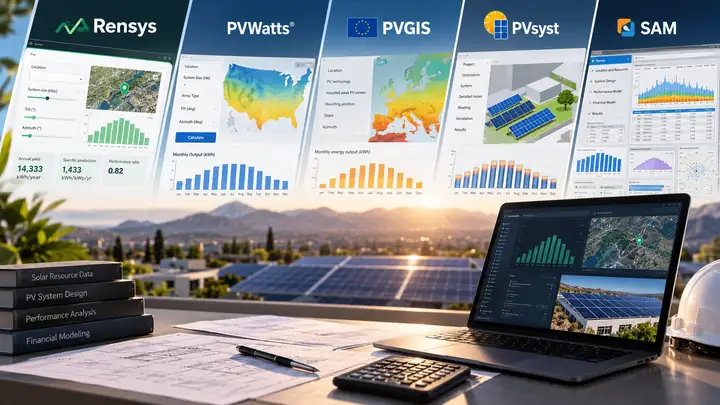
PV simulation tools compared: if you only need a rough yield estimate, PVWatts and PVGIS are free and usually enough. If you need shading, equipment and financial detail, PVsyst or SAM is the better pick. Rensys, our free calculator, sits at the simple end: a fast first check, not a design tool.
Full disclosure: we built Rensys. We list its limits here the same way we list everyone else’s.
PV tools at a glance
| Tool | Cost | Good fit | Key gap | Setup |
|---|---|---|---|---|
| Rensys | Free | Quick screening | Simple model | Browser |
| PVWatts | Free | Grid-PV estimate | Basic shading | Browser / API |
| PVGIS | Free | Resource + yield | Horizon only | Browser / API |
| PVsyst | CHF 700/yr | Detailed design | Setup + training | Desktop |
| SAM | Free | PV + finance + storage | More setup | Desktop |
The PVsyst price is the Professional license in its official shop (October 2026) and may change.
How do the tools compare feature by feature?
✔ Yes · ✘ No · Partial = limited or mode-dependent. A tick does not mean equal accuracy.
| Feature | Rensys | PVWatts | PVGIS | PVsyst | SAM |
|---|---|---|---|---|---|
| Open source | ✔ Apache-2.0 | Open model | Open data | ✘ | ✔ |
| Account needed | ✘ | ✘ (API key) | ✘ | License | First-run key |
| Install needed | ✘ | ✘ | ✘ | ✔ | ✔ |
| Coverage | Global | Global | Near-global | Any weather file | Any weather file |
| Weather data | NASA POWER | NSRDB TMY | Satellite, reanalysis | Imported | Weather files |
| Hourly simulation | ✘ | ✔ | ✔ | ✔ | ✔ |
| Module options | Mono, poly, CdTe | Three types | Several types | Full library | Full library |
| Tracking | ✘ | ✔ | ✔ | ✔ | ✔ |
| Bifacial | ✘ | ✔ (V8) | ✘ (v5.3) | ✔ | ✔ |
| Shading | ✘ | Loss input | Horizon | 3D shading | Model-based |
| Temperature | Fixed factor | Thermal model | Wind-adjusted | Detailed | Detailed |
| Battery / off-grid | ✘ | ✘ | Off-grid | Stand-alone | ✔ |
| Financial analysis | ✘ | ✘ | ✘ | Basic | ✔ |
| Exports | ✘ | CSV | CSV, JSON, PDF | Reports | Data export |
| API | ✘ | ✔ (key) | ✔ | CLI add-on | SDK / SSC |
| Learning curve | Low | Low | Low–medium | High | Medium–high |
Rensys cells come from its own documentation and code. For the other tools we used the official pages, and details can change between versions.
Tool summaries
Rensys
What it is: Our free, open-source browser calculator for a quick first yield estimate. It multiplies annual sunlight by a few simple factors instead of simulating the system hour by hour.- Strengths: No install or account; location lookup with NASA POWER sunlight data; annual, daily and monthly results.
- Limitations: No shading, soiling, hourly weather, degradation, tracking, bifacial or battery modeling. Azimuth ignores east versus west, and monthly figures split the annual total using climate shares. Our ±15–20% range is a rule of thumb, not a benchmarked result.
PVWatts
What it is: A free calculator and API for grid-connected PV, from the National Laboratory of the Rockies (NLR, formerly NREL).- Strengths: Annual, monthly and hourly output; V8 adds bifacial modules; free API with a key.
- Limitations: Generic module and loss assumptions; no 3D shading in the web calculator.
PVGIS
What it is: A European Commission (JRC) service for solar resource and PV yield estimates, covering most of the world except the poles.- Strengths: Hourly time series; fixed and tracking systems; off-grid systems with battery storage.
- Limitations: Version 5.3 has no bifacial calculation, and shading comes from a horizon profile, not a 3D scene. The JRC reported in early 2026 that PVGIS 6, with bifacial support, was nearing release.
PVsyst
What it is: Proprietary desktop software for detailed PV design, simulation and reporting.- Strengths: Equipment-specific sizing; 3D near-shading; detailed loss reports and published validation cases.
- Limitations: Paid (CHF 700 per year for the Professional license); needs installation and training; results depend on your inputs.
SAM (System Advisor Model)
What it is: Free, open-source desktop software for renewable energy performance and financial modeling, also from NLR.- Strengths: Detailed PV models; battery models; project cash-flow analysis.
- Limitations: Needs installation; setup takes more effort; capabilities vary by the model you pick.
How accurate are PV simulation tools?
| Tool | Annual | Monthly | Basis |
|---|---|---|---|
| Rensys | ±15–20% | Not stated | Unvalidated |
| PVWatts | ±10% | ±30% | V5 manual |
| PVGIS | Not stated | Not stated | Dataset-based |
| PVsyst | Case studies | Case studies | Selected systems |
| SAM | Studies | Studies | Measured systems |
The PVWatts V5 manual gives its ±10% and ±30% for long-term typical weather. It adds that a single real year can differ from that average by up to ±20% annually and ±40% monthly, and these figures are not a V8 guarantee. Sources: PVWatts V5 technical manual, PVGIS user manual, PVsyst validations and SAM validation studies.
Which PV simulation tool should you use?
| If you need… | Consider | Reason |
|---|---|---|
| A fast first estimate | Rensys / PVWatts | Low effort |
| Hourly yield data | PVGIS / PVWatts | Hourly output |
| A site outside the US | PVGIS / PVWatts | Check coverage |
| Detailed shade analysis | PVsyst | 3D shading |
| Battery and off-grid | SAM / PVGIS | Storage models |
| Financial scenarios | SAM | Cash-flow models |
| A loan or permit | Engineer-led design | Site-specific |
Frequently asked questions
Is Rensys a replacement for PVsyst or SAM?
No. Rensys is our quick first-pass calculator. PVsyst and SAM model equipment, losses and finances in far more detail, so use them when the decision needs that depth.
Which tools provide hourly production estimates?
PVWatts and PVGIS give hourly output, and PVsyst and SAM run time-series simulations. Rensys does not. It returns annual, daily and monthly figures only.
Which tools support battery analysis?
SAM includes battery models, PVGIS provides an off-grid PV-battery calculation, and PVsyst supports stand-alone systems. The standard PVWatts web calculator focuses on grid-connected PV.
Are the accuracy figures directly comparable?
No. Weather data, system configuration, time period and error metrics differ between studies, so read each result in its original test context.
Can I use an online estimate for a bank loan or permit?
Not on its own. Check what the lender or authority requires, and use a qualified engineer for site-specific design, shading, electrical, structural and financial checks.
Related Renwaves resources
Sources
- Renwaves. Rensys calculator, documentation and source code.
- National Laboratory of the Rockies (NLR, formerly NREL). PVWatts, its API documentation and the System Advisor Model.
- European Commission, Joint Research Centre. PVGIS tools and user manual.
- PVsyst SA. Product information, pricing and validation documentation.
Features and prices were checked against the official pages in October 2026 and may change. We did not run a controlled benchmark of all five tools. This article does not replace a project-specific engineering assessment.

I’m an engineer specializing in renewable energy technologies, with a master’s degree in mechanical engineering and research focused on thermo-photovoltaic systems. I’ve contributed to ISI journals, presented at international conferences, and written for industry publications, sharing insights on sustainable energy solutions.